





One customer cut their first-interview-to-hire timeline from 24 days to one week. The bottleneck was the first screen, not sourcing or offers.
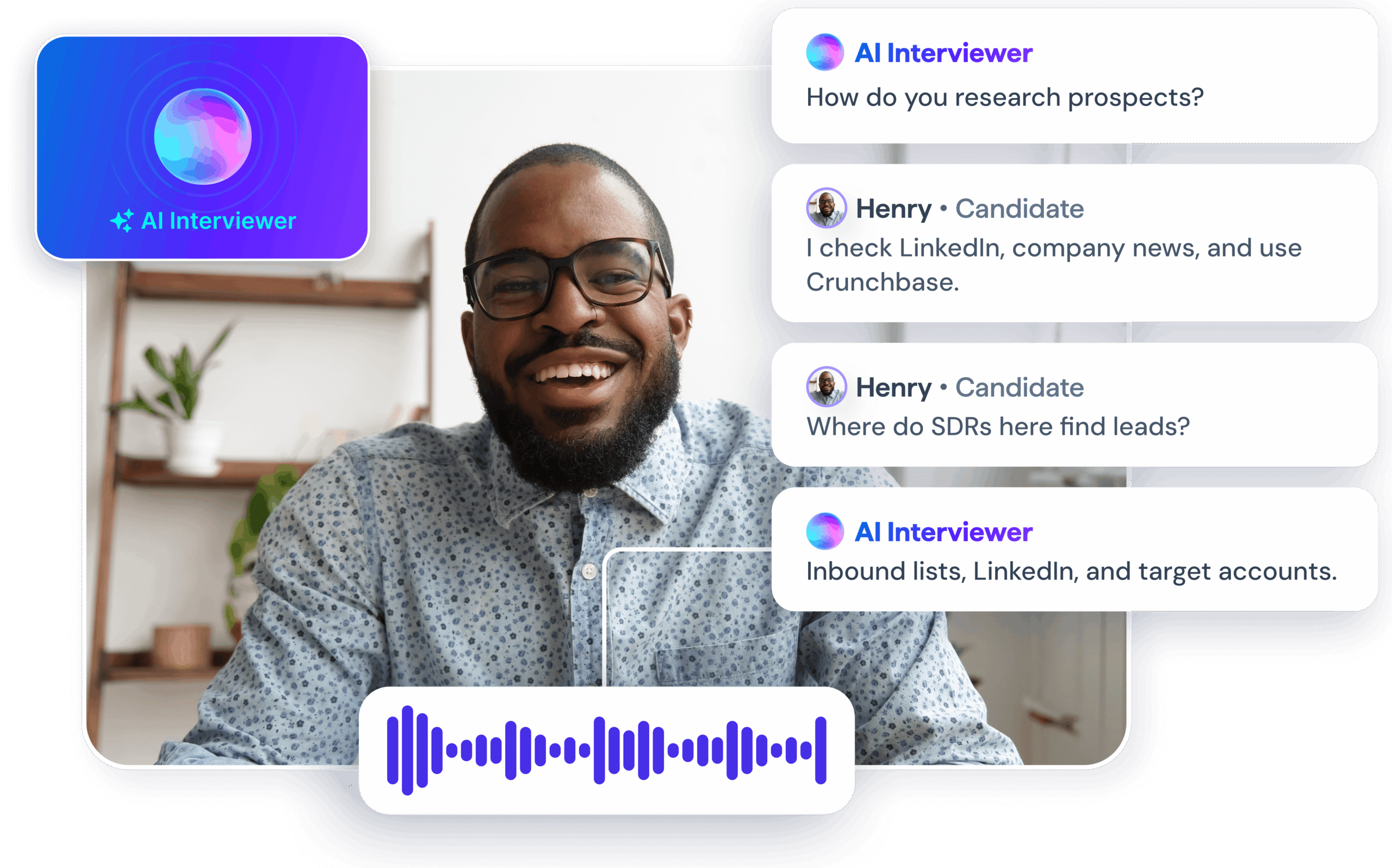
Most video interview tools ask candidates to record answers to a fixed question set and submit. BrightHire Screen conducts a structured, two-way AI video interview that asks questions, evaluates every answer in real time, and delivers a scored summary to your ATS.
The candidate experiences a conversation. Your recruiter receives a scorecard, not a queue of recordings to watch.
What Separates a Two-Way AI Interview From a Recording Tool
A recording tool produces video. An AI video interviewer produces evaluated evidence.
When a candidate completes a BrightHire Screen interview, every answer runs through the rubric your team built. Hazy Sandoval, Product Lead for BrightHire Screen, frames the distinction directly: “We want to provide signaling. If recruiters had to prioritize, we give them a mechanism to prioritize. It is entirely not meant to make a decision on anyone’s behalf.”
The output your recruiter reviews is a structured scorecard comparable across every candidate who completed the interview.
How BrightHire Screen Runs the Interview
BrightHire Screen runs the workflow in four steps:
- A candidate reaches the designated stage in your ATS (Greenhouse, Ashby, or Workday) and receives an invitation.
- The candidate opens the interview on any device, completes a practice round, and watches a short video introduction from the hiring manager.
- The AI interviewer conducts a structured interview using your guide, your questions, and your evaluation criteria, asking each question in sequence, probing for additional details if needed, and capturing the full response. The candidate can ask the AI interviewer questions about the role and company as well.
- BrightHire pushes the results into your ATS: overall score, structured summary, question-level evaluations, and a link to the full recording and transcript, with links to the most useful moments.
Recruiters don’t need to coordinate calls or dig through recordings to find the useful moments.
Three Ways BrightHire Screen Evaluates What Candidates Say
BrightHire Screen supports three evaluation formats, and recruiting teams can mix them within a single guide.
| Format | How It Works | Best For |
| Tiered rubric (1–4) | Team defines criteria at each level. AI evaluates the answer against those criteria and scores it. | Competency questions where you need comparable signal across candidates. |
| Summary | AI captures the substance of the answer without scoring it. | Open-ended questions like career trajectory or motivation, where context matters more than comparison. |
| Qualification (yes/no) | Binary screen. AI flags disqualifying answers at the top-level candidate view. | Work authorization, location requirements, or any pass/fail criterion. |
Before any candidate takes the interview, an AI guide assistant reviews the interview guide. It flags redundant questions, identifies rubrics where scoring criteria are too similar to differentiate candidates, and recommends edits. The final call belongs to the recruiting team.
The Speed Case for AI Video Interviews
Oliver Stephenson, Strategy and Operations atBrightHire, describes what the first-screen process looks like without AI in the stack: “Realistically, it could be weeks before a candidate’s resume even gets looked at.”
Before BrightHire Screen, the path from application to first screen followed a predictable sequence: recruiters work through hundreds of resumes, identify candidates worth calling, reach out, coordinate schedules across two working-day calendars, and wait.
With BrightHire Screen in the stack, that timeline collapses. Candidates complete the interview within hours of applying.
Another customer saw inbound candidates reach hiring manager screens the day after applying, a speed previously reserved for referred candidates.
What Candidates Say About Two-Way AI Video Interviews
78% of candidates say they prefer AI-led interviews. They describe them as fairer, more comprehensive, and more convenient, and they lead to higher satisfaction, more offers, and better retention.
BrightHire Screen earns a 4.5 out of 5 average candidate rating. The two-way conversation format drives that score.
Candidates describe the experience as natural, not like submitting a form.
“The call felt natural and it allowed me to answer like I was in a conversation.” — Customer Support Representative Candidate
“It felt like a real interview — so much better than just uploading a resume or answering multiple choice questions.” — Product Manager Candidate
The practice round before the interview starts and the optional hiring manager video introduction both contribute. Candidates arrive oriented, not cold.
What Recruiting Teams Ask About AI Video Interview Software
One-way video tools record a candidate’s answer to a pre-set question. BrightHire Screen conducts a two-way structured interview where the AI interviewer asks questions, listens to each response, and evaluates it against the rubric your team defined.
The output is also different. One-way tools give recruiters video to watch.
BrightHire Screen gives recruiters a scored summary, question-level evaluations, and a full transcript, all comparable across every candidate who completed the interview.
Before any AI interview is deployed, an interview guide is set up in BrightHire. The AI assistant reviews the guide’s setup, flags redundant questions, recommends follow-up questions, and identifies rubrics where scoring criteria are too similar to differentiate candidates. Your team approves the final guide before it goes live and adds additional context to answer candidate questions.
When a candidate takes the AI interview, BrightHire Screen runs the structured interview guide your team built in advance. The guide includes your questions, evaluation criteria, and follow-up probes where the role requires them. If a candidate doesn’t give a detailed enough answer to a question, the follow-up questions will dig deeper.
Greenhouse and Ashby customers connect BrightHire Screen in under 15 minutes. Once connected, the workflow triggers when a candidate reaches the designated stage, and results push back into the ATS when the interview is complete.
Greenhouse customers get additional depth through the BrightHire Chrome extension. The full evaluation, question-level scores, and recording access appear directly in the candidate’s Greenhouse profile without requiring a tab switch.
Teams without an ATS can run BrightHire Screen in ATS-less mode using a shareable link. Teams building out a full screening workflow may also want to review how virtual interview platforms manage the broader candidate flow from ATS trigger to scorecard.